SFTP
What is an SFTP?
SFTP (SSH File Transfer Protocol) is a secure file transfer protocol that operates over SSH (Secure Shell). Unlike FTP or FTPS, SFTP is not an extension of FTP but an entirely separate protocol. It uses a single encrypted channel for both commands and data transfer, making it simpler to configure, particularly through firewalls.
Actito allows you to connect an existing SFTP server to exchange files automatically. Once the SFTP integration is configured, you can:
- Automatically import customer data into Actito
- Export segments and campaign results to external systems
- Automate file exchanges on a scheduled basis
Once the SFTP is created on your side, you can provide all the required connection details (host, port, credentials, etc.) here to create the integration. Only the exchange of whitelisted IP addresses with Actito will be required to finalize the setup.
When using your own SFTP server, you are responsible for managing uploaded files, including file cleanup.
Configure an SFTP integration
This integration allows you to declare and configure access to an existing SFTP server, in order to exchange files with Actito.
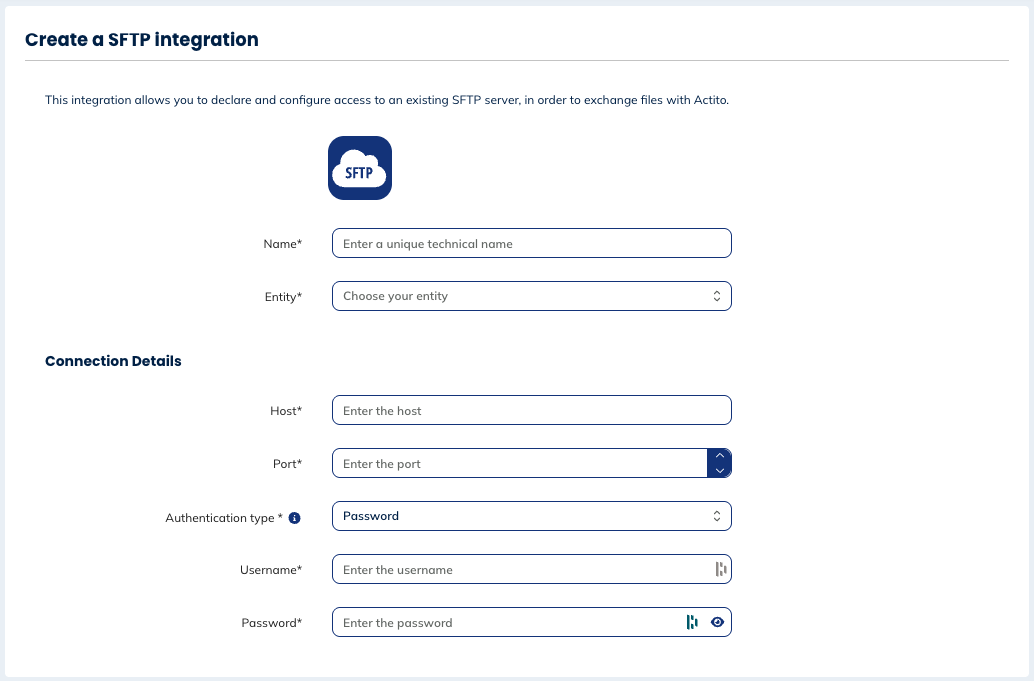
General
You will have to define:
- the unique technical name
- the entity to which the SFTP will be linked
Connection details
You will have to enter the information about:
- the host: the server address where the SFTP server is located
- the port: the network port used to establish the connection
- the authentication type: you can choose between
- password: simple setup using a username and a password
- SSH key (recommended): uses an SSH key pair generated by Actito; only the public key is installed on your server, providing stronger security
- the username: the account identifier used to authenticate with the SFTP server
- the password: the credential used to verify the user's identity
Overview of the SFTP
Overview
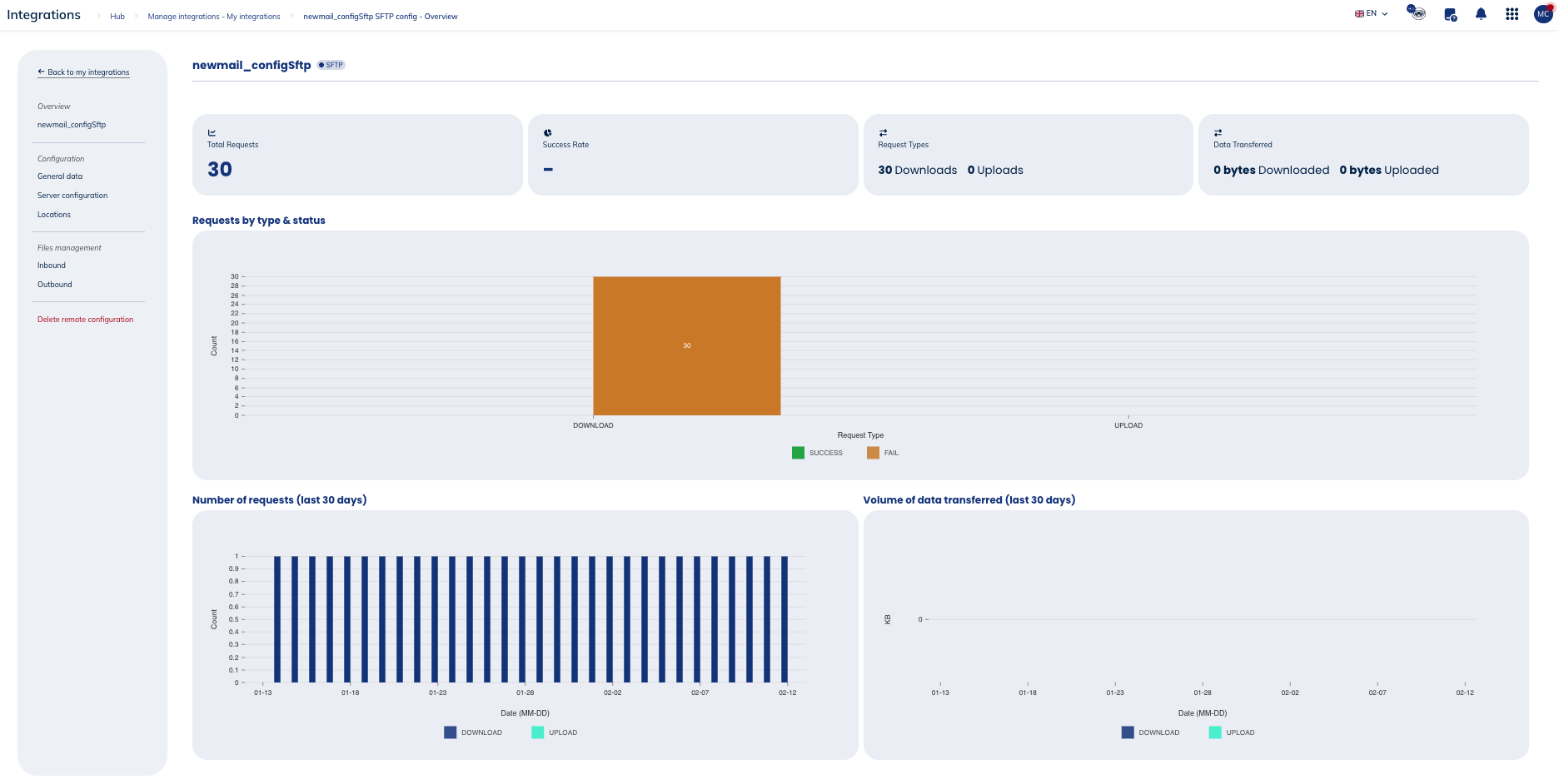
In the general information, you will see the following metrics:
- Total requests
- Success rate
- Request types (downloads & uploads)
- Data transferred (downloads & uploads)
You'll also see three types of graphs:
- Requests by types (download & upload) and status (success or fail)
- Number of requests during the last 30 days
- Volume of data transferred during the last 30 days
Configuration
General data
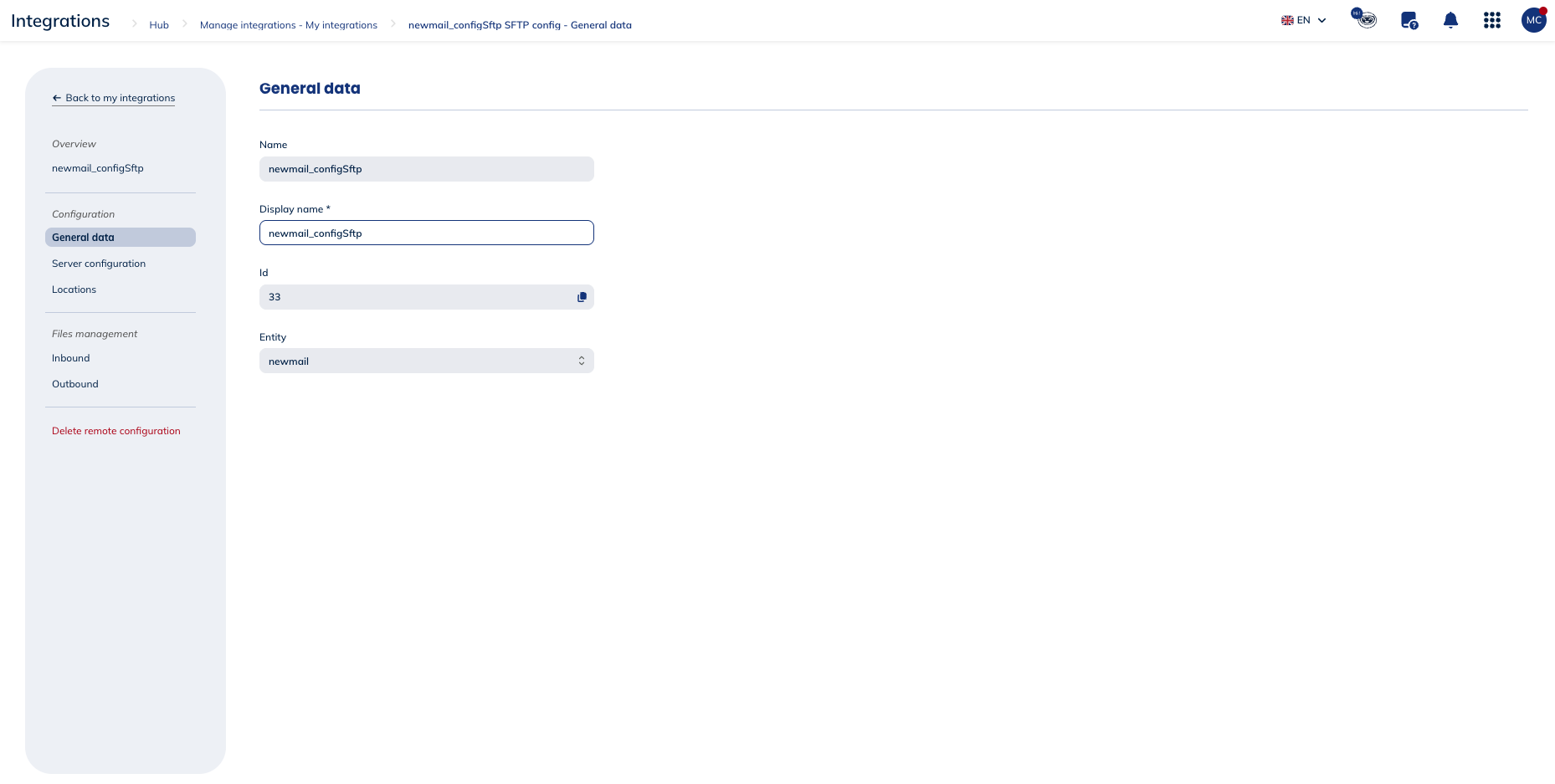
The general data shows you the following information about your SFTP:
- the technical name
- the display name, that you can modify
- the id
- the entity to which it is linked
Server configuration
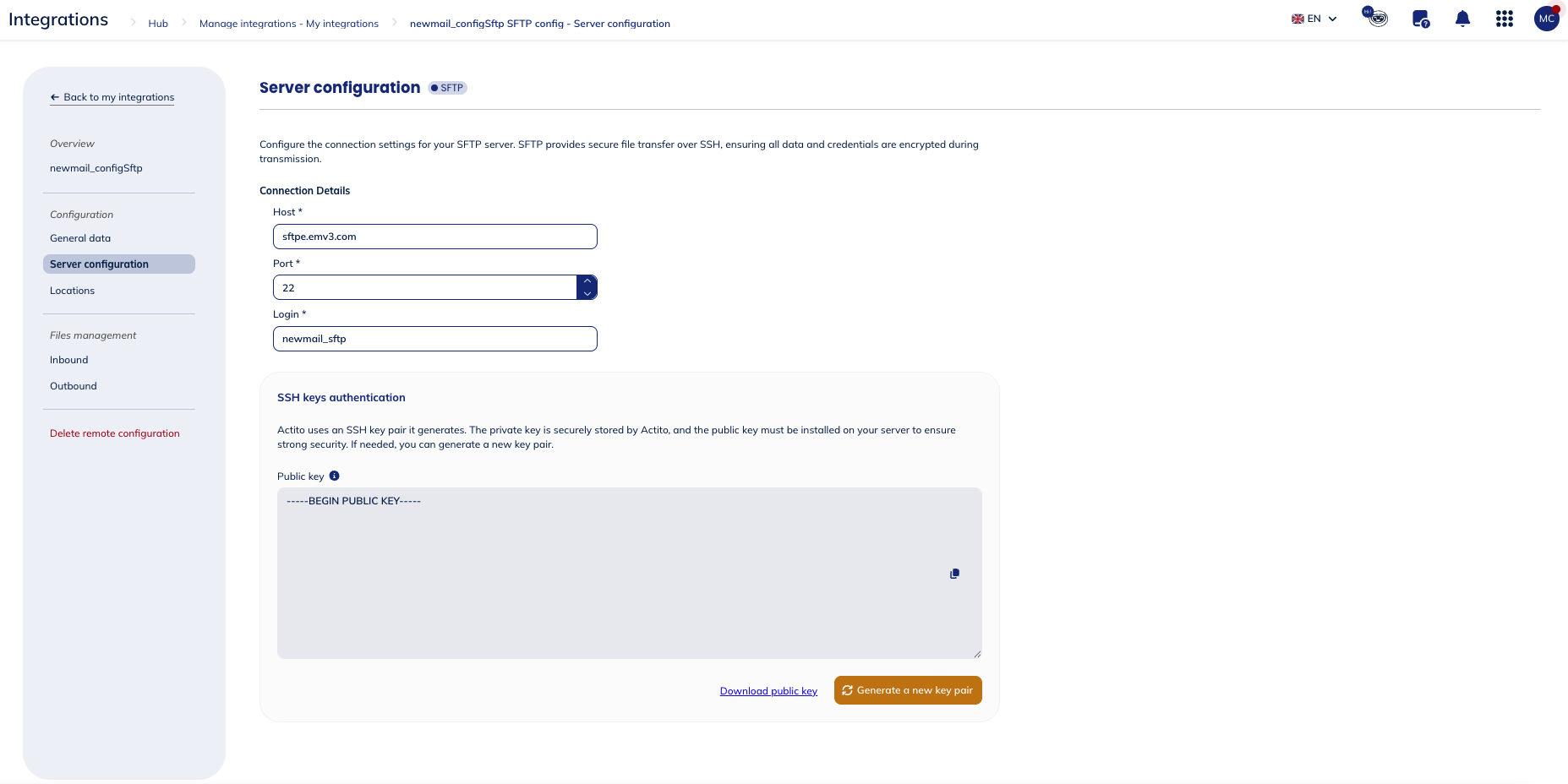
The server configuration enable you to view and modify the connection details you have filled in when configuring the SFTP information. It also allows you to define some advanced parameters.
Here, you can download the public SSH key. Actito uses an SSH key pair that it generates. The private key is securely stored by Actito, and the public key must be installed on your server to ensure strong security. If needed, you can generate a new key pair.
Download the public SSH key file and install it in the authorized_keys file on your SFTP server to enable secured key-based authentication.
Locations
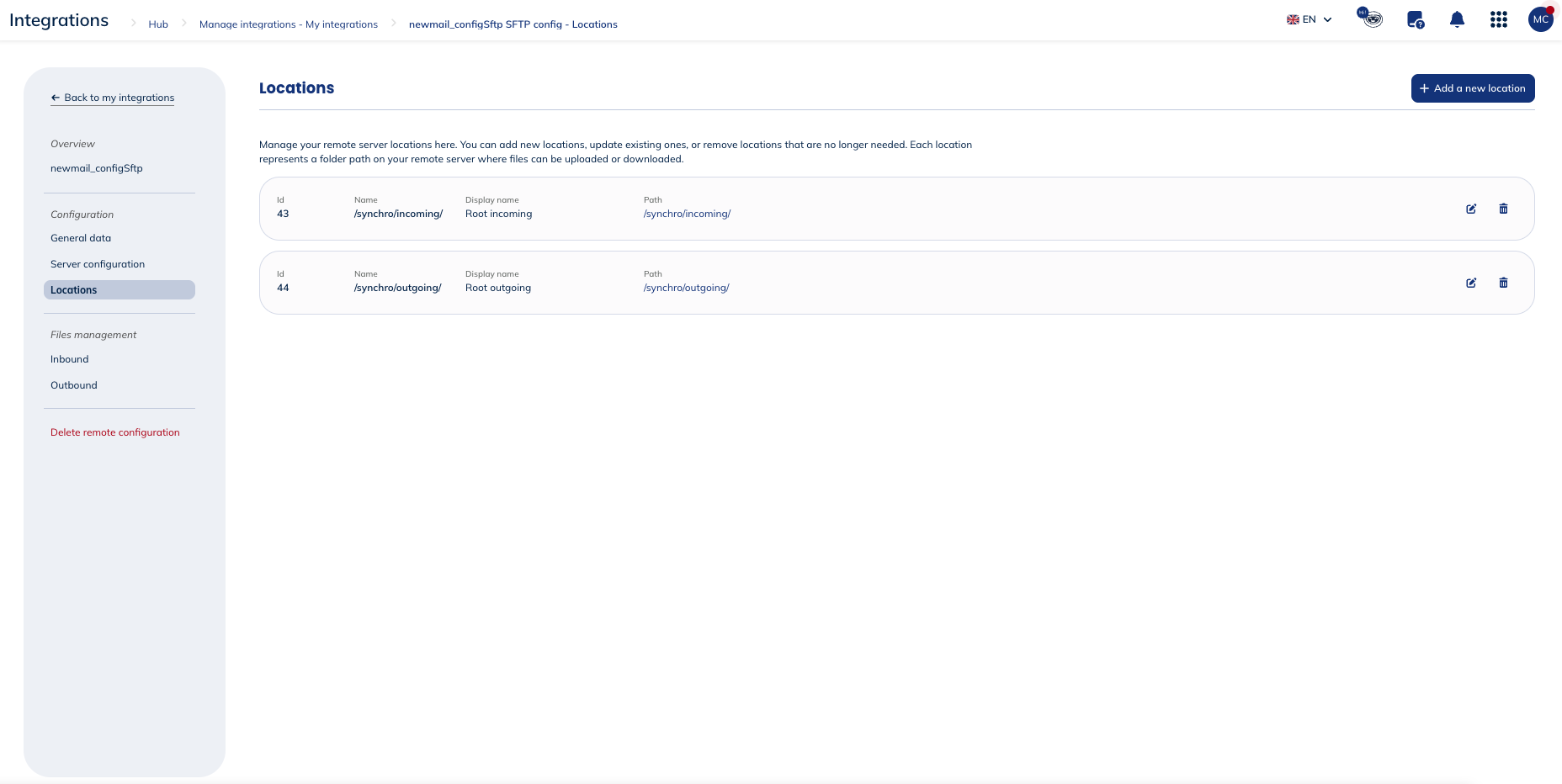
You can manage your remote server locations here. You can:
- add new locations,
- update existing ones,
- or remove locations that are no longer needed.
Each location represents a folder path on your remote server where files can be uploaded or downloaded.
Files management
Inbound
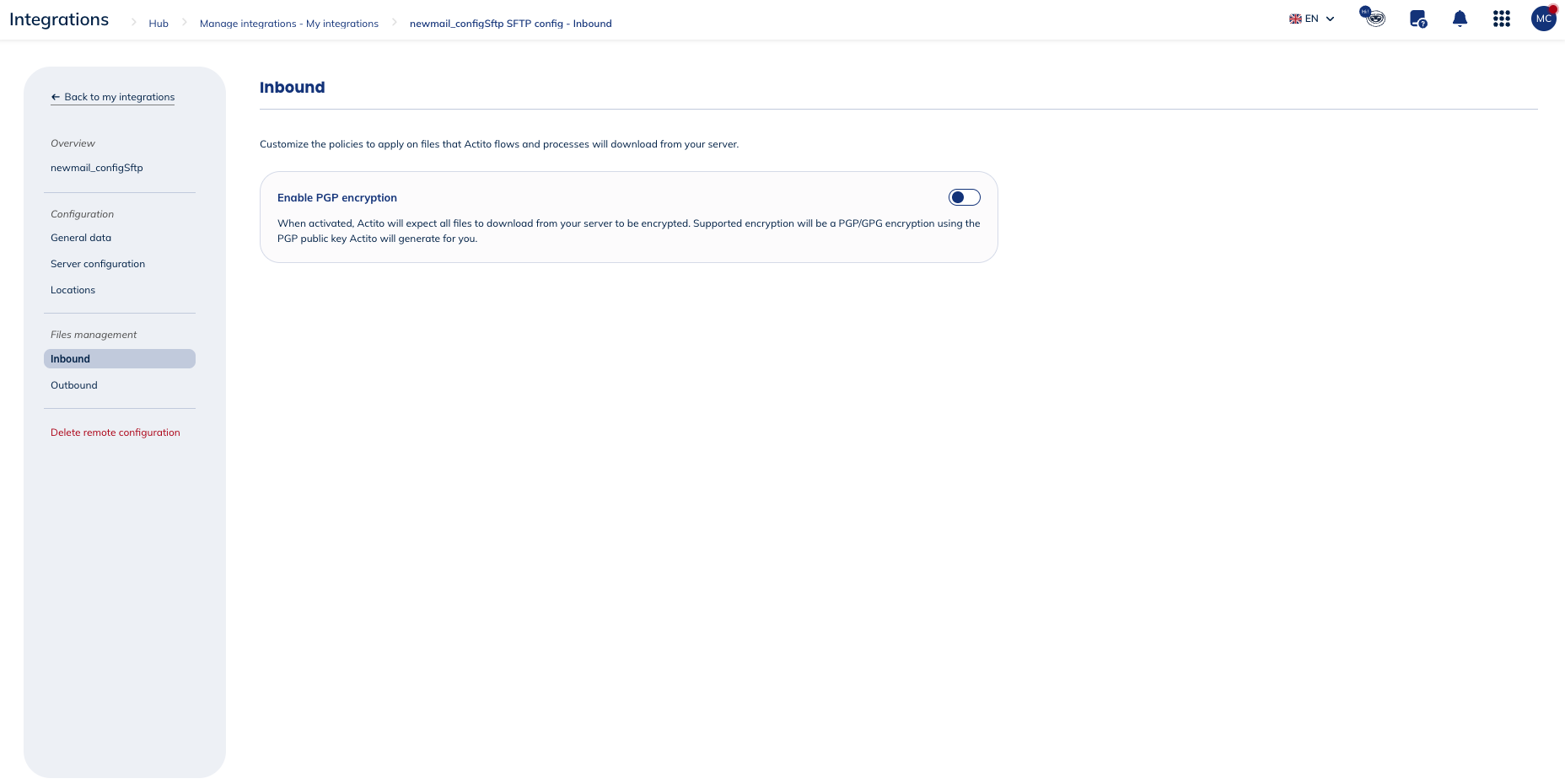
Here, you can customize the policies applied to files that Actito downloads from your server, including enabling PGP encryption.
PGP (Pretty Good Privacy) is an encryption standard used to secure data through a combination of symmetric and asymmetric cryptography. It works using a key pair: a public key, which can be shared openly and is used to encrypt data, and a private key, which is kept secret and is used to decrypt it. Data encrypted with a public key can only be decrypted by the corresponding private key.
PGP is commonly used to encrypt files before transfer, ensuring that even if intercepted, the data cannot be read without the recipient's private key. It can also be used to sign data, verifying the sender's identity and ensuring the data has not been tampered with.
When activated, all files downloaded from your server must be PGP/GPG encrypted. Actito will generate a PGP public key for you to use when encrypting your files.
You'll have to download the PGP public key and use it to encrypt your files before uploading them to the remote server. Actito will use its corresponding private key to decript the files before processing them.
You also have the possibility to generate a new PGP key pair if necessary.
Outbound
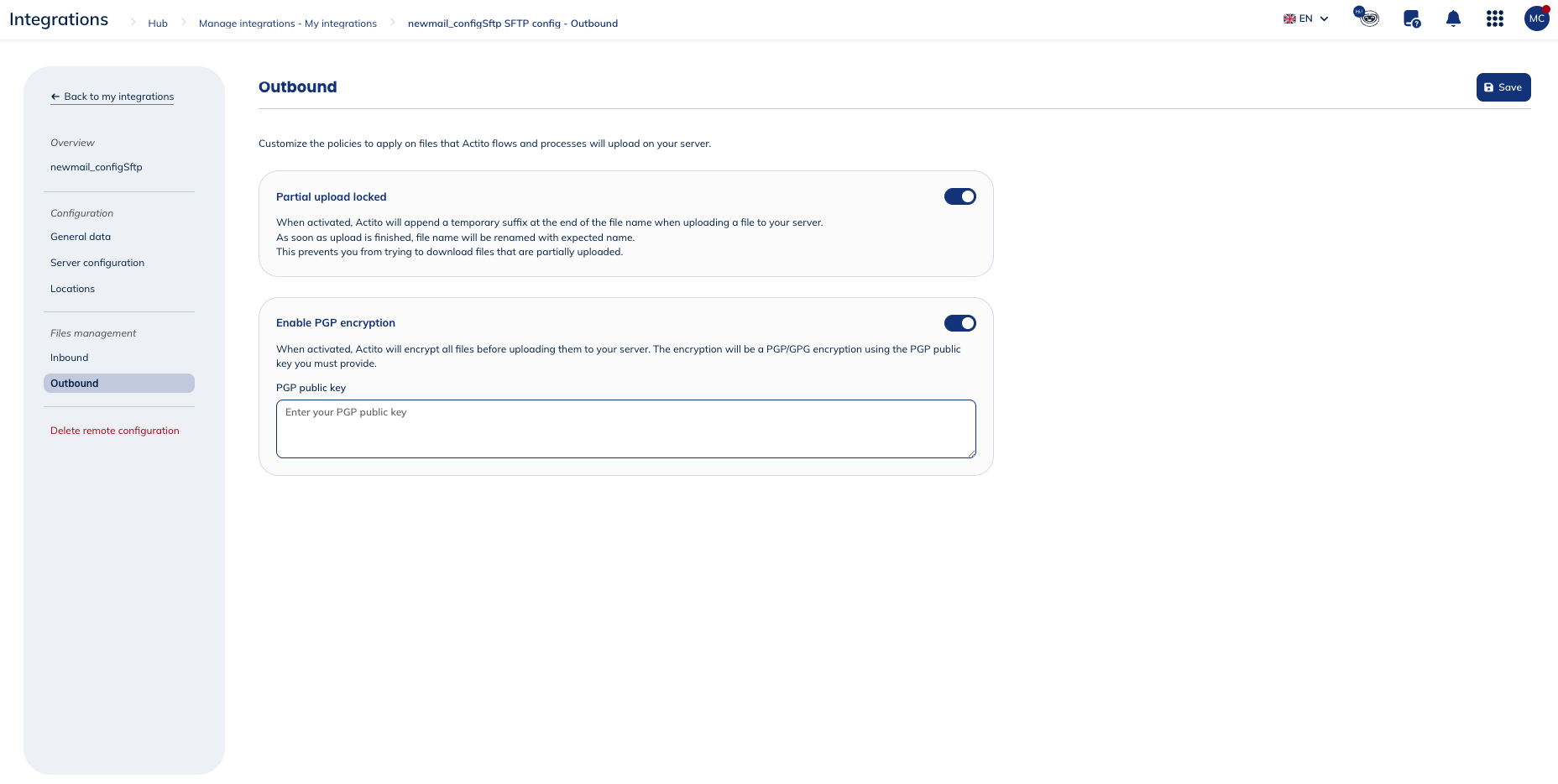
Here, you can customize the policies applied to files Actito uploads to your server, including partial upload locking and PGP encryption.
When enabled, partial upload locking causes Actito to append a temporary suffix to the filename while the upload is in progress. Once the upload completes, the file is renamed to its expected name. This ensures you never attempt to download a file before it is fully uploaded.
You can aslo enable PGP encryption. When activated, Actito will encrypt all files before uploading them to your server. The encryption will be a PGP/GPG encryption using the PGP public key you must provide.
PGP (Pretty Good Privacy) is an encryption standard used to secure data through a combination of symmetric and asymmetric cryptography. It works using a key pair: a public key, which can be shared openly and is used to encrypt data, and a private key, which is kept secret and is used to decrypt it. Data encrypted with a public key can only be decrypted by the corresponding private key.
PGP is commonly used to encrypt files before transfer, ensuring that even if intercepted, the data cannot be read without the recipient's private key. It can also be used to sign data, verifying the sender's identity and ensuring the data has not been tampered with.
You'll have to upload the PGP public key file that Actito will use to encrypt files before uploading them to your server.
Delete remote configuration
You have the possibility to delete the remote configuration on Actito's side.